Get Paid Same Day Selling Your Old Laptop Securely
August 30, 2026
Selling through an online buyback service is the fastest reliable way to turn an old laptop into cash, usually with payment the same day it passes inspection. Buybackbear pays through PayPal, Venmo, or bank transfer and wipes every drive before resale. Private sale on eBay or Facebook Marketplace often nets more money, but expect it to take one to two weeks and require more effort. Wipe your data securely either way before it leaves your hands.
TL;DR:
- Selling through a buyback service like Buybackbear guarantees same-day payment and secure data wiping to the NIST 800-88 standard, even for broken or outdated laptops.
- Private peer-to-peer listings on eBay or Facebook usually yield the highest payout but require significant effort, including photographing, listing, managing inquiries, and shipping.
- Local cash sales offer instant transactions with minimal effort but tend to fetch lower prices due to buyer pressure and safety concerns.
- Tablet and ultrabook batteries with below 80% capacity can reduce resale value by 10 to 20 percent, so mentioning battery health upfront is advisable.
- Timing your sale is critical: aim to sell two to four weeks before manufacturer launches new models, especially for Apple, to avoid immediate depreciation.
Table of Contents
- Local Sale, Peer-to-Peer, Trade-In, or Buyback: Which Route Fits You?
- How Do You Wipe and Prep a Laptop Before Selling It?
- What Determines Your Laptop’s Resale Value?
- How the Online Buyback and Trade-In Process Actually Works
- What I’d Do With My Own Old Laptop
- Get a Cash Offer for Your Old Laptop Today
- Sources
- FAQ
Local Sale, Peer-to-Peer, Trade-In, or Buyback: Which Route Fits You?
Every laptop-selling route trades speed against payout, and picking the wrong one for your situation either costs you money or wastes your week.
Local cash sales (Craigslist meetups, Facebook local groups, a friend of a friend) close same-day and take almost no setup. The catch: buyers know you want it gone fast, so offers tend to sit well below market value, and you’re meeting a stranger to exchange cash.
Peer-to-peer online listings on eBay or Facebook Marketplace typically return the most money of any channel, since you’re selling directly to the end user with no middleman margin. That upside comes with real costs: photographing the laptop, writing a listing, answering buyer questions, and managing shipping or in-person handoffs yourself, plus the safety considerations of meeting strangers or shipping to unknown buyers.
Retail store trade-ins hand you instant credit, often as a gift card rather than cash, and the cash value usually lands lower than what a dedicated buyback service or private sale would pay.
Online buyback and trade-in services sit in the middle. You get a competitive cash quote, free shipping, a professional inspection, and secure payment, without the listing hassle of peer-to-peer sale.
Quick comparison:
- Local cash: same day, low effort, the lowest typical offers
- Peer-to-peer: highest potential payout, most effort, more safety management
- Store trade-in: instant credit, usually a gift card, lower cash value
- Online buyback: fast cash, free shipping, inspection-based offer, minimal effort
If your laptop is broken, outdated, or you just want it off your desk this week, buyback wins on convenience. If it’s a recent, well-specced machine and you have time to spare, listing it yourself usually pays more.
How Do You Wipe and Prep a Laptop Before Selling It?
Before you photograph a single scratch, get your data off the machine and off its accounts. Skipping this step is how old passwords, saved logins, and personal files end up on a stranger’s laptop months later.
- Back up everything first. Copy files to Google Drive, iCloud, OneDrive, or an external SSD before you touch any settings.
- Sign out and deauthorize. Remove the device from your Apple ID, Microsoft account, and Adobe license list, or it may stay tied to your account after sale.
- Wipe by platform. On a Mac, use Disk Utility to erase the Volume Group (Apple silicon models handle this slightly differently than Intel Macs). On Windows 11 or 10, run Reset This PC and choose “Remove everything” with the full clean-drive option, not the quick version. On a Chromebook, run a Powerwash.
- Skip the factory reset shortcut. A basic reset can leave data recoverable; a proper secure erase to the NIST 800-88 standard actually clears it.
- Leave the drive installed if it’s soldered. Many thin ultrabooks have integrated SSDs that can’t be removed, so a certified software wipe is your only real option anyway.
- Clean, photograph, and pack accessories. Wipe down the case and screen, snap photos of any dents or scratches, check battery health in system settings, and box up the original charger since buyers routinely pay more for a complete kit.
Pro Tip: If your laptop’s battery health has dropped noticeably, mention it upfront in any quote form. Buyers will catch it during inspection anyway, and volunteering the detail avoids a surprise price cut later.
What Determines Your Laptop’s Resale Value?
Four factors decide what your laptop is actually worth, and none of them are “how much I paid for it.”
Brand and tier matter most. Premium brands hold value longer than budget models of the same age, especially once a laptop crosses the two-year mark. Specs come next: CPU generation, RAM (16GB is the current sweet spot for buyers), and whether you have an SSD or an aging HDD all move the number. Storage size matters too, but a fast SSD beats a bigger slow HDD almost every time.
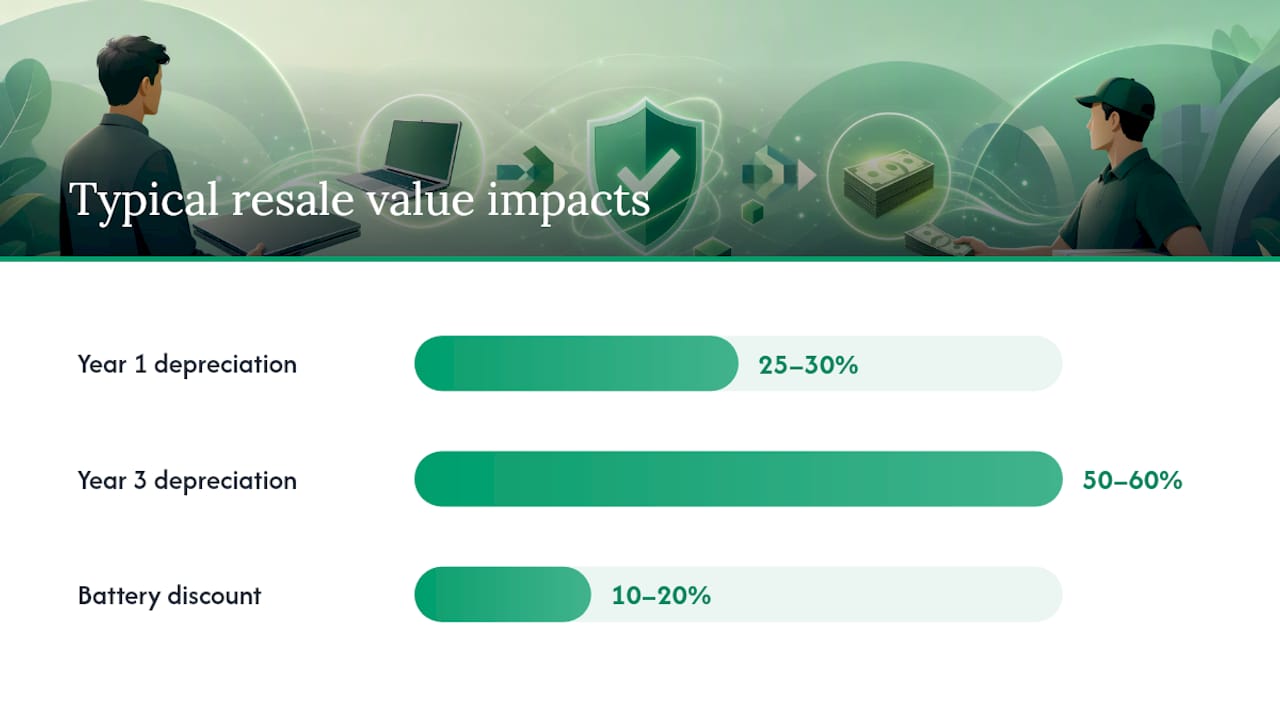
Battery health quietly wrecks more sale prices than dents do. A battery that has dropped below roughly 80% of its original capacity typically gets discounted 10 to 20% by buyers, since it signals a replacement cost down the road.
Laptops depreciate fast: 25 to 30% in the first year alone, and 50 to 60% by year three. That curve is why timing matters:
- Sell two to four weeks before a manufacturer’s expected new-model announcement, especially for Apple laptops, since older models take an immediate value hit once a successor launches
- Avoid listing during obvious dead zones for buyer demand, like the weeks right after major back-to-school or holiday buying windows close
- Check eBay’s completed and sold listings for your exact model and spec configuration before setting an asking price, so you’re pricing against reality instead of a hopeful guess
How the Online Buyback and Trade-In Process Actually Works
The buyback flow follows the same four steps across most services, and knowing what happens at each stage keeps you from getting blindsided by a revised offer.
- Get an instant quote. Enter the model, specs, and honest condition. Overstating condition almost always leads to a lower final offer once inspection catches the difference, so answer accurately the first time.
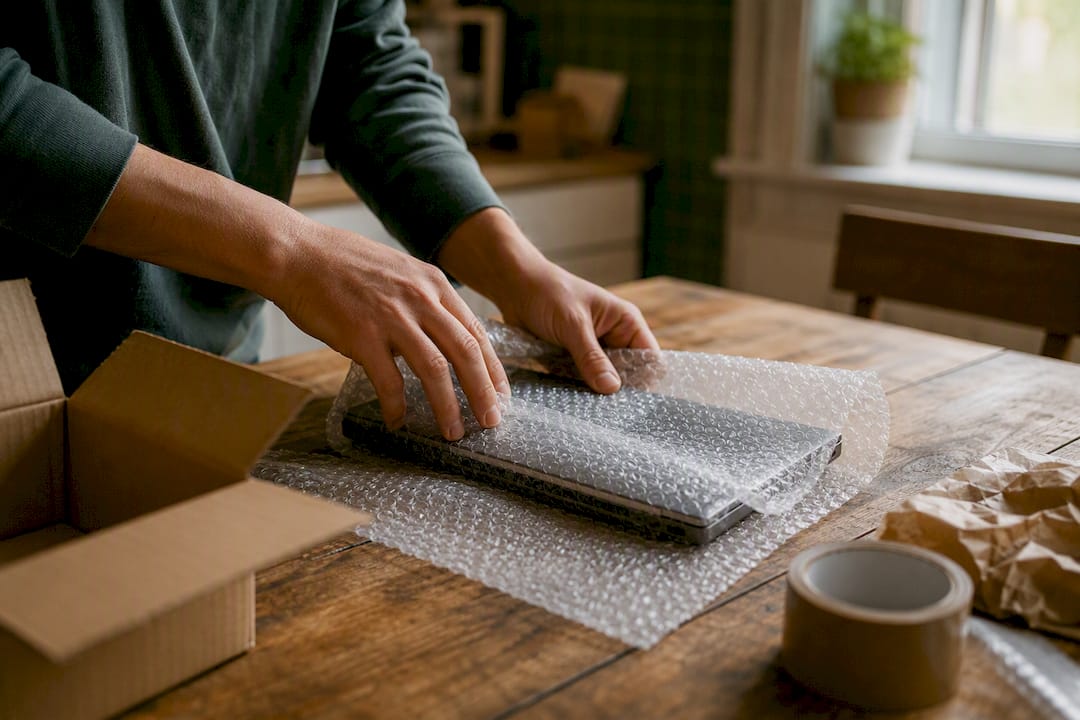
- Ship it free. Pack the laptop securely, ideally in its original packaging or a padded box, and use the prepaid shipping label. Add shipping insurance for a higher-value machine.
- Inspection confirms or adjusts the offer. The buyer checks the screen, keyboard, ports, and battery health against what you reported. A gap between the listed condition and reality is the most common reason offers change at this stage.
- Get paid. Once the offer is confirmed, payment goes out through PayPal, Venmo, or bank transfer, often the same day or the next business day.
A few things worth knowing before you ship:
- If the inspection comes back with a lower offer than expected, you’re not obligated to accept it. Most services, including Buybackbear, let you decline and have the device shipped back at no cost.
- Keep a copy of your original quote and any condition notes you submitted, in case you need to reference them.
- Ask whether the payout method you want (PayPal versus bank transfer) affects how fast the money actually lands.
What I’d Do With My Own Old Laptop
Here’s the decision rule I keep coming back to: if you have two weeks to spare and a laptop in decent shape, list it yourself and take the higher price. If you want it gone this week, or the machine is cracked, dead, or just not worth the listing hassle, a buyback service is the smarter trade.
What tips the scale for me on the buyback side is the paperwork most people skip and later regret. A certificate of data erasure tied to the NIST 800-88 standard is not a nice extra, it’s proof your files are actually gone. Pair that with same-day payment through PayPal or Venmo and a policy of beating any competitor’s written quote, and the math on “fast” stops meaning “cheap.”
, Andy
Get a Cash Offer for Your Old Laptop Today
Buybackbear is the direct route to cash when you don’t want to spend a week photographing scuffs and answering buyer questions. The process is four steps: enter your laptop’s specs for an instant quote, ship it free with a prepaid label, let the team inspect and confirm your offer, then get paid the same day through PayPal, Venmo, or bank transfer, no gift cards and no bill credit spread over years like a carrier trade-in.

Every device gets wiped to the NIST 800-88 standard with a free Certificate of Data Erasure, so your files are actually gone, not just hidden behind a factory reset. Buybackbear also tracks competitor buyback prices daily and beats any written quote by a competitive amount whether you’re selling a single MacBook or clearing out a stack of old devices. Head to the laptop trade-in page to get your instant quote and see what your laptop is worth right now.
Sources
- What to do before selling or recycling your old laptop | HP
- Should I sell my laptop near me or online? Pros and Cons of Each Option | Tapscape
- How Much Is My Laptop Worth? Resale & Trade-In Value Guide | How Much is it Worth
FAQ
Are old laptops worth selling?
Yes. Even a laptop with a cracked screen or a dead battery has resale or parts value, and a broken device typically still earns cash through a buyback service rather than a private listing.
Where is the best place to sell old laptops?
It depends on your priority: peer-to-peer listings on eBay or Facebook Marketplace usually pay the most, while an online buyback service like Buybackbear gets you cash fastest with the least effort.
Does Best Buy give money for old laptops?
Best Buy’s trade-in program typically issues store credit or a gift card rather than direct cash, which is lower value if you want money in your bank account rather than credit toward a future purchase.
Who pays the most for old laptops?
Private buyers on peer-to-peer marketplaces generally pay the most since there’s no middleman, but a competitive buyback service that price-matches or beats written quotes, like Buybackbear, closes much of that gap while paying out same-day.
Recommended
Ready to sell?
Get an instant quote, free prepaid shipping, and fast cash that beats carrier trade-in credit.
Selling your device here, at a glance
Get my instant quote →- Instant quote in about 30 seconds, price locked while you decide
- Cash by PayPal, Zelle, Venmo or check after inspection, no fees
- Free prepaid label both ways, free return shipping if you decline
- We beat any competitor's written quote by $2
- Cracked screen, broken or won't power on? Still worth real money
- Certified NIST 800-88 data wipe with an emailed certificate
- Trade-in value paid in cash, not a 24-36 month carrier bill credit
- Every model priced: unlocked or carrier-locked, any storage size