MacBook Resale Value Trends: When to Sell for the Most Cash
August 16, 2026

MacBooks hold their value better than almost any other laptop on the market, but “better” still means losing real money fast if you wait too long. Apple Silicon models typically drop 15–20% per year, while Intel MacBooks are falling off a steeper cliff as macOS support windows narrow. The single best move for most owners right now: sell before the next major chip launch, not after.
If you own an Intel MacBook, sell within the next 60–90 days. If you own an M1 or M2, you still have a reasonable window, but every new Apple Silicon announcement trims your residual. M3 and M4 owners can afford to wait a little longer, though not indefinitely.
The numbers that matter most:
- MacBook Pro median depreciation runs about 30.6% in year one and roughly 51.3% after three years; MacBook Air drops more slowly at about 17.1% in year one and 36.1% after three years.
- Apple Silicon models commonly retain 55–75% of retail after year one and 40–60% after two years, depending on configuration.
- Three-year retained value for M-series machines often sits in the 50–75% range of original retail.
Key Takeaways
MacBooks hold value better than almost any other laptop, but the gap between Apple Silicon and Intel is widening fast, and the best time to sell is almost always before the next chip announcement, not after.
| Point | Details |
|---|---|
| Sell Intel MacBooks now | Intel models face macOS support cutoffs that can cut resale value 25–35% almost overnight. |
| Apple Silicon holds value well | M-series MacBooks typically retain 55–75% of retail after year one, per Techable’s 2026 analysis. |
| Condition drives big price swings | Moving from fair to excellent condition can add a solid amount to your sale price on a mid-range model. |
| Marketplace fees reduce net cash | eBay fees of 13–15% mean a a competitive amount sale nets a competitive offer; buyback services skip that deduction. |
| Buybackbear for fast cash | Buybackbear pays same-day cash after inspection with a free NIST 800-88 data wipe and no seller fees. |
Table of Contents
- MacBook resale value trends: current price snapshot by model
- How MacBooks lose value over time
- What actually raises or lowers your MacBook’s resale price
- Short- and medium-term resale outlook
- When is the best time to sell a MacBook?
- How to prepare your MacBook to get the best price
- Where to check live prices and choose the right sales channel
- How we derived the numbers: data sources and limitations
- What sellers consistently get right, and what they get wrong
- Sell your MacBook fast with a guaranteed cash offer
- Sources
- FAQ
MacBook resale value trends: current price snapshot by model
Prices below reflect typical private-party and marketplace transaction ranges in mid-2026, based on sold-listing analysis and dealer price bands. Condition shifts these figures significantly, so treat them as orientation points, not guarantees.
Condition definitions matter here. “Fair” means visible scratches, a battery above 80% health, and all ports functional. “Good” means minor cosmetic wear, battery above 85%, and no dead pixels. Moving from fair to excellent can add a solid amount on a mid-range model, sometimes more on a maxed-out Pro.
Stat to anchor on: Apple Silicon MacBooks commonly retain 55–75% of retail after just one year, according to Techable’s 2026 refurbished market analysis. That retention rate is unusually high for consumer electronics and reflects genuine demand, not just seller optimism.
How MacBooks lose value over time
The depreciation curve for a MacBook is not a straight line. It drops fastest in year one, then flattens noticeably by year three, which is actually useful information for sellers trying to time a listing.
The typical year-by-year curve
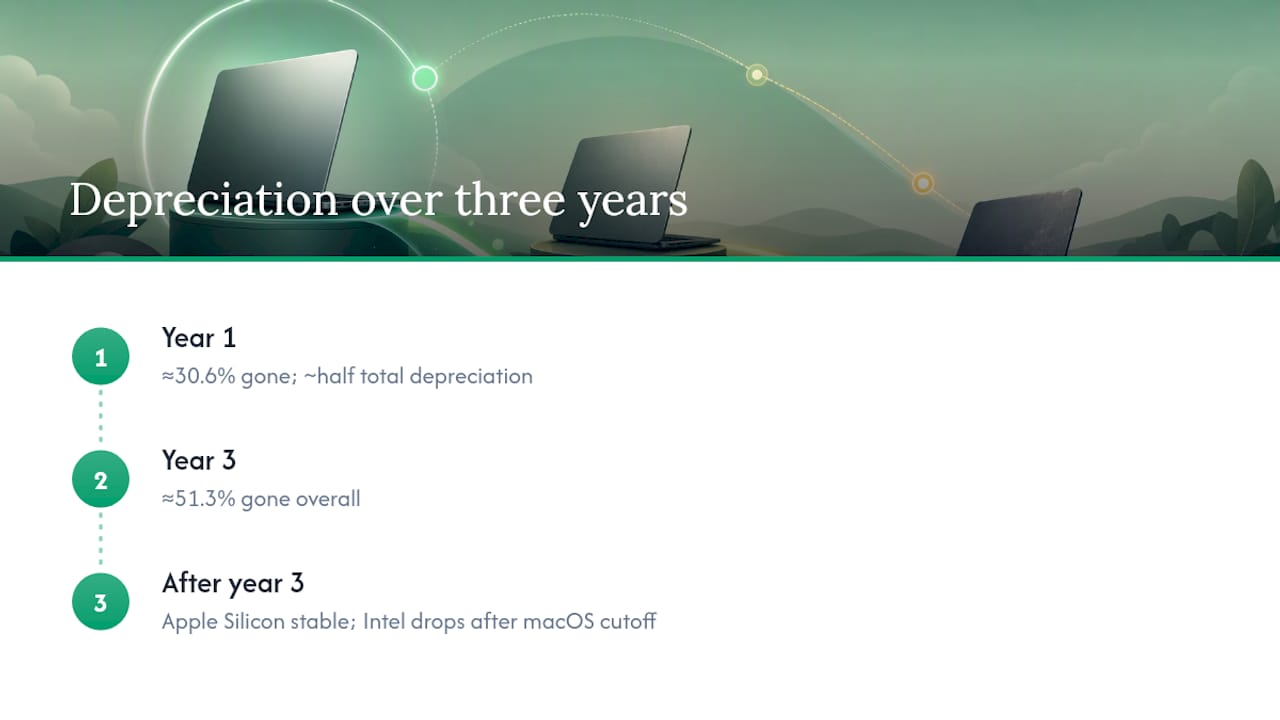
For a MacBook Pro, TechParasol’s sold-listing data shows about 30.6% gone after year one and 51.3% gone after three years. That means roughly half the depreciation you’ll ever experience happens in the first 12 months. The Air’s slower decline partly reflects its lower starting price and broader buyer pool.

After year three, the curve flattens for Apple Silicon models because the hardware remains genuinely capable. M1 chips still run the current macOS without meaningful performance penalty, which keeps demand stable. Intel machines don’t get that reprieve: once Apple drops macOS support for a model, resale prices fall sharply and often don’t recover.
Apple Silicon vs Intel: a real divergence
The gap between M-series and Intel depreciation is wider than most sellers expect. An Intel MacBook Pro from 2019 that originally retailed for $2,000 might fetch a competitive offer today in good condition. An M1 Pro from 2021 at the same original price still commands a competitive offer. That’s not just chip performance. It’s the macOS support timeline, the battery longevity of Apple Silicon, and buyer perception of how long the machine will stay “current.”
Storage and RAM matter more than most sellers price in. A 16GB/512GB M2 MacBook Air sells for roughly a bit more than the base 8GB/256GB version on the open market, and a 1TB drive adds another a solid amount in typical transactions.
Stat callout: MacBook Pro median depreciation is approximately 30.6% in year one versus just 17.1% for MacBook Air in the same period, per TechParasol’s analysis.
Pro Tip: The best non-obvious timing window is the six weeks immediately after a new Apple Silicon chip announcement, not before. Buyers flood the market looking for deals on the “old” generation, which briefly pushes used prices up on the model being replaced. List during that window, not after it.
- M-series models: depreciate 15–20% annually, flatten after year 3
- Intel models: depreciate faster and face a hard value cliff when macOS support ends
- Higher RAM/storage configurations hold a disproportionate premium
- Battery health below 80% triggers significant price reductions from buyers
- Original charger and box add a solid amount depending on the model
What actually raises or lowers your MacBook’s resale price
Buyers making offers on used MacBooks are running a quick mental checklist. Knowing what’s on it lets you price accurately and fix what’s fixable before listing.
The biggest value drivers, in order of impact:
- Chip generation: M4 > M3 > M2 > M1 > Intel. Each step down costs real money.
- RAM: 16GB commands a clear premium over 8GB; 32GB+ is a significant differentiator on Pro models.
- Storage: 512GB and 1TB configurations sell faster and higher than base 256GB.
- Battery health and cycle count: Below 80% health is a red flag for buyers. Below 70% often triggers lowball offers or no offer at all.
- Screen condition: Dead pixels, burn-in, or backlight bleed are deal-breakers at any price point.
- Cosmetics: Deep scratches on the lid or palm rest reduce offers by a solid amount. Keyboard wear is a known concern on older Intel models.
- Original accessories: Charger, box, and documentation add perceived value and buyer trust.
Seller’s condition checklist before listing
- Run Apple Diagnostics (hold D at startup) and screenshot the result.
- Check battery health: System Settings → Battery → Battery Health. Note the cycle count.
- Inspect every port with a flashlight for debris or corrosion.
- Test the keyboard and trackpad across all keys and gestures.
- Check the display at full brightness for dead pixels and backlight uniformity.
- Verify the camera and microphone work in FaceTime or QuickTime.
- Confirm the serial number is clean (not reported stolen) at checkcoverage.apple.com.
- Note whether AppleCare+ is still active and transferable.
Red flags that cut offers fast
- Battery cycle count above 500 on a MacBook Air (buyers expect lower on Air than Pro)
- Keyboard keys that stick or skip, especially on 2016–2019 butterfly keyboard models
- Any indication of liquid damage (check the LCI indicators inside the MagSafe port area)
- Third-party screen or battery replacements without documentation
- Missing or non-original charger on a USB-C model (cheap to fix, expensive to ignore)
Liquid damage and undisclosed repairs are the two issues that most often collapse a deal after inspection. Disclose both upfront. Buyers who find them after the fact leave negative feedback and demand refunds.
Short- and medium-term resale outlook
The 12-month outlook for MacBook resale values is cautiously stable for Apple Silicon and actively negative for Intel. The structural driver is straightforward: the refurbished laptop market is growing in 2026, pushed by higher new-device prices, Gen Z buying behavior, and the genuine longevity of M-series chips. More buyers chasing used Apple Silicon keeps prices from collapsing even as supply increases.
Four scenarios for the next 12–36 months
-
Base case (most likely): M-series values decline gradually at 15–20% annually. Intel values drop another 20–30% as macOS Sequoia support narrows further. Sellers who act in the next 6 months capture the current floor before the next chip cycle.
-
New chip acceleration: Apple releases M5 or a major architectural update in late 2026 or early 2027. M3 and M4 values dip 10–15% within 60 days of announcement as buyers wait for the new generation. M1 and M2 values take a harder hit.
-
Sustained price inflation: If new MacBook prices rise further (a real possibility given component and tariff pressures), used values stay elevated because the price gap between new and used widens. This scenario actually benefits sellers who wait.
-
Intel cliff scenario: Apple drops macOS support for 2017–2019 Intel models in the next major OS release. Used Intel MacBook prices could fall 25–35% almost overnight in that event, as they did when Big Sur excluded older hardware.
Stat callout: Three-year retained value for M-series MacBooks often sits in the 50–75% of original retail range, per ValueSnap’s 2026 analysis. That’s the floor sellers can reasonably expect if they hold through a full chip cycle.
Listing before either window is almost always the better call.
When is the best time to sell a MacBook?
The answer depends almost entirely on what chip is inside your machine.

Intel MacBook owners: Sell now. The 2019 MacBook Pro is approaching the edge of that window.
M1 and M2 owners: You have a window, but it’s narrowing. List before the next major Apple Silicon announcement, which historically comes in October or at WWDC in June. Waiting for a “better time” rarely pays off because the market moves fast after announcements.
M3 and M4 owners: Hold if you’re still using the machine actively. The depreciation curve is gentler in years one and two, and the refurbished market demand for current-generation Apple Silicon is strong. But don’t hold past the M5 announcement.
Sell-now vs. wait checklist
- Is your MacBook Intel? → Sell within 60 days.
- Is battery health below 80%? → Sell before it drops further; battery replacement costs a competitive amount+ and rarely recovers its cost in resale.
- Is a new Apple Silicon chip expected within 6 months? → List now or accept a lower price post-announcement.
- Is your model within 18 months of a macOS support cutoff? → Sell immediately.
- Are you in Q4 (October–December)? → Good timing; back-to-school and holiday demand lifts used prices.
Stat callout: MacBook Air depreciation runs about 17.1% in year one versus 30.6% for MacBook Pro, per TechParasol. Air owners have more time; Pro owners face steeper early losses.
Platform match by seller goal:
- Max cash, willing to wait: eBay or Swappa private listing. Expect 7–21 days to close.
- Fast cash, minimal hassle: Buyback service like Buybackbear. Same-day payout after inspection, no negotiation.
- Convenience over cash: Apple Trade In. Lowest payout, but instant and requires no shipping prep.
Use Buybackbear’s when-to-sell value tracker to get a real-time read on whether your model is at a peak or declining.
How to prepare your MacBook to get the best price
Preparation is where sellers leave the most money on the table. A clean, well-documented listing on a machine in excellent condition can add a solid amount over a rushed, poorly photographed one.
Step-by-step prep checklist
- Clean the machine. Use a microfiber cloth and 70% isopropyl alcohol on the keyboard and palm rest. Clean the screen with a dry cloth only. Buyers notice grime in photos.
- Run a battery cycle check. Open System Information → Power and screenshot the cycle count and condition. Include this in your listing.
- Back up and erase. Use Time Machine for backup, then go to System Settings → General → Transfer or Reset → Erase All Content and Settings. This restores factory state and removes your Apple ID.
- Gather original accessories. Find the original charger, cable, and box if possible. A complete-in-box listing commands a real premium.
- Take photos that sell. Shoot in natural light: lid open at 45 degrees, keyboard straight-on, all four corners, all ports, and the screen showing the About This Mac window (chip, RAM, storage visible). Include a close-up of any cosmetic wear so buyers can’t claim misrepresentation.
- Write a spec-forward listing title. Lead with chip, RAM, and storage: “MacBook Pro 14” M3 Pro 18GB/512GB Space Black. Excellent, 87% Battery, 142 Cycles." Buyers search by spec, not by year.
Serious buyers bid; casual browsers scroll past. A “Buy It Now” price set at your actual target gives you a floor while the auction runs.*
- Include the battery health screenshot in every listing, not just on request.
- Mention AppleCare+ status and expiration date if it’s still active.
- Ship in the original box when possible; it reduces damage claims and signals care.
- Respond to buyer questions within two hours. Slow responses kill deals.
Where to check live prices and choose the right sales channel
Before you list anywhere, spend 20 minutes on price research. The goal is to find what buyers actually paid, not what sellers are asking.
How to sample prices correctly:
- On eBay, filter by “Sold Items” under the search refinements. Active listings are aspirational; sold listings are reality.
- On Amazon, check third-party “Used” listings under the main product page. Filter by condition to match yours.
- On Flipsy, enter your model and condition for an aggregated buyback quote comparison across multiple services.
Channel comparison: payout, speed, and hassle
| Channel | Typical Payout vs. Market | Time to Cash | Hassle Level | Best For |
|---|---|---|---|---|
| eBay (private listing) | Highest (minus 13–15% fees) | 7–21 days | High (photos, shipping, buyer questions) | Sellers who want max net cash |
| Swappa | High (minus ~3% + a competitive amount.50) | 5–14 days | Medium | Tech-savvy sellers, lower fees |
| Apple Trade In | Lowest (30–50% below market) | Instant credit | Very low | Convenience buyers, not cash-focused |
| Buyback service (Buybackbear) | Mid-to-high (no fee deducted) | Same day after inspection | Very low | Sellers who want fast, guaranteed cash |
The same machine quoted at a competitive amount by a buyback service puts a competitive amount in your account with no negotiation, no shipping drama, and no buyer disputes. The gap is smaller than most sellers assume, and the time savings are real.
Stat callout: WerOrg’s marketplace margin analysis puts eBay seller fees at 13–15% and Swappa at approximately 3% plus a competitive amount.50 per transaction. For high-value MacBooks, Swappa’s fee structure is the most favorable marketplace option when you’re willing to handle the listing yourself.
Use Buybackbear’s carrier trade-in vs. cash calculator to run the numbers on your specific model before committing to any channel.
How we derived the numbers: data sources and limitations
The price ranges and depreciation figures in this article draw from four primary sources, cross-referenced for consistency.
Data sources used:
- eBay sold-listing snapshots (filtered by model, storage, condition) pulled in June 2026
- Amazon third-party used-listing data for MacBook Air and MacBook Pro models
- Dealer price bands from MacPro-LA (updated June 2026)
- TechParasol’s depreciation tracking dataset (sold-listing analysis, ongoing)
- ValueSnap’s model-level resale tracking (2026 update)
- Buybackbear’s first-party buyback pricing data for MacBook models
Limitations worth knowing:
Geographic variation is real. The ranges here reflect national medians. Model configuration also matters more than the table can show: a maxed-out M3 Pro with 36GB RAM and 2TB storage sits at the very top of its model’s range, while a base-config version sits at the bottom.
For a real-time quote on your specific MacBook, Buybackbear’s instant quote tool reflects current buyback pricing updated daily, with no obligation to sell.
Buybackbear’s pricing data is updated continuously based on live market conditions, which means the quote you get today reflects what the market actually supports, not a six-month-old snapshot.
What sellers consistently get right, and what they get wrong
The sellers who walk away with the most cash share one habit: they list before they feel ready, not after. Waiting for the “perfect” moment, a new charger to arrive, a scratch to feel less noticeable, costs real money. The market doesn’t reward patience the way sellers hope.
The most common mistake is ignoring the storage and RAM premium. Sellers price their 8GB/256GB M2 Air at the same level as a 16GB/512GB because “it’s the same chip.” Buyers don’t see it that way. The spec difference is worth a good amount in actual transactions, and sellers who don’t account for it either underprice or sit on the listing for weeks wondering why no one bites.
Battery disclosure is the other consistent differentiator. Sellers who lead with battery health, cycle count, and a screenshot close faster and at higher prices than those who omit it. Buyers assume the worst when data is missing.
One quick thing you can do right now: pull up System Information on your MacBook, screenshot the Power section, and save it. That screenshot is worth more in your listing than any amount of descriptive copy.
Sell your MacBook fast with a guaranteed cash offer
Researching MacBook depreciation trends is useful. Actually getting paid for your machine is better. Buybackbear pays cash for MacBooks in any condition, from a pristine M4 Pro to a cracked-screen Intel unit that no marketplace buyer wants to touch.

The process is four steps: get an instant online quote, ship free with a prepaid label, pass inspection, and get paid the same day by PayPal, Venmo, debit card, or bank transfer. No waiting for a buyer to show up, no eBay fee deducted after the fact, no negotiation.
Every MacBook sold through Buybackbear gets a certified NIST 800-88 data wipe with a free Certificate of Data Erasure, so your personal data is gone before the device leaves your hands. Businesses selling multiple devices can use Buybackbear’s bulk device buyback program for fleet-level disposals with the same certified wipe and same-day payout. Get your quote now at Buybackbear.
Sources
Use these resources to validate prices and get an instant offer before committing to any channel.
- MacBook Resale Value by Year (2026): Real Sold Prices | ValueSnap Blog
- Why the Mac Resale Market Is Growing in 2026 - Techable News
- Macbook Depreciation – All You Need To Know (Statistics)
- How Much Is a Used MacBook Pro Worth in 2026? (Updated June 2026) – MacPro-LA
- Resell Used MacBooks: Margin Guide · WerOrg
Start with the eBay sold-listing filter to establish your market ceiling, then get a Buybackbear quote as your guaranteed cash floor. The gap between those two numbers tells you exactly what the marketplace hassle is worth to you.
FAQ
Do MacBooks hold their resale value well?
Yes, better than almost any other laptop category.
Are MacBook prices going to drop in the near future?
What is the best time to sell a MacBook?
Sell before a new chip announcement, not after. The six weeks immediately following an Apple Silicon launch are actually a brief window of elevated demand for the outgoing model, but prices drop quickly once buyers shift attention to the new generation.
Is a 7-year-old Mac still worth selling?
A 2019 or older Intel MacBook can still fetch a competitive offer depending on condition and configuration, but the window is closing. Once Apple drops macOS support for that model, resale value falls sharply. Selling now captures more than waiting another year.
How does Buybackbear compare to Apple Trade In for MacBooks?
Buybackbear typically pays more than Apple Trade In and pays in real cash (PayPal, Venmo, bank transfer) rather than store credit.
Recommended
Ready to sell?
Get an instant quote, free prepaid shipping, and fast cash that beats carrier trade-in credit.
Selling your device here, at a glance
Get my instant quote →- Instant quote in about 30 seconds, price locked while you decide
- Cash by PayPal, Zelle, Venmo or check after inspection, no fees
- Free prepaid label both ways, free return shipping if you decline
- We beat any competitor's written quote by $2
- Cracked screen, broken or won't power on? Still worth real money
- Certified NIST 800-88 data wipe with an emailed certificate
- Trade-in value paid in cash, not a 24-36 month carrier bill credit
- Every model priced: unlocked or carrier-locked, any storage size