Demand a Certificate: Securely Recycle Electronics in 6 Steps
September 6, 2026
Reuse comes first: donate, sell, or trade in any device that still works. When a device is truly finished, hand it to a certified recycler (look for R2 or e-Stewards) or a vetted mail-in service that documents data destruction to the NIST SP 800-88 standard. Before you let anything go, get a Certificate of Data Destruction or a chain-of-custody record in writing. No paperwork, no deal.
TL;DR:
- Most reputable recyclers use the R2 or e-Stewards standards, and verifying their certification is essential to ensure responsible disposal.
- Data sanitization must meet NIST SP 800-88 Revision 2 standards, with Purge or Destroy methods required for sensitive or outdated drives.
- Always obtain a Certificate of Data Destruction and a chain-of-custody record to document proper sanitization before devices leave your control.
- Reuse and resale are prioritized over recycling, so devices that power on or can be repaired should be considered for donation or sale first.
- Handling regulated items like lithium batteries, CRTs, and appliances with refrigerants requires specialized collection points to prevent fire hazards and environmental harm.
Table of Contents
- Where to Recycle Electronics Responsibly
- How Do You Prepare a Device Before Recycling It?
- What Certifications Should a Recycler Have?
- Should You Donate, Repair, or Resell Before Recycling?
- How Do You Safely Recycle Batteries and Other Regulated Items?
- What Should You Ask Before Choosing a Recycler or Buyback Service?
- Why I Think Documentation Is the Missing Piece Most Guides Skip
- Get Paid for What Still Works, Recycle What Doesn’t
- Where to Verify Recyclers and Learn More
- Sources
- FAQ
Where to Recycle Electronics Responsibly
Most people default to whatever’s closest, which is exactly how phones end up in the wrong hands or old laptops end up in a landfill. The right drop point depends on the device, the quantity, and how fast you need it gone.
Municipal collection events and permanent drop-off sites handle the bulk of household e-waste in most cities. Many counties run household hazardous waste days a few times a year, and a growing number now operate year-round e-waste collection centers alongside them. These work well for a drawer full of old chargers, a dead router, or a stack of cables, but they’re not built for anything with resale value, and you should never assume they wipe data before processing anything.
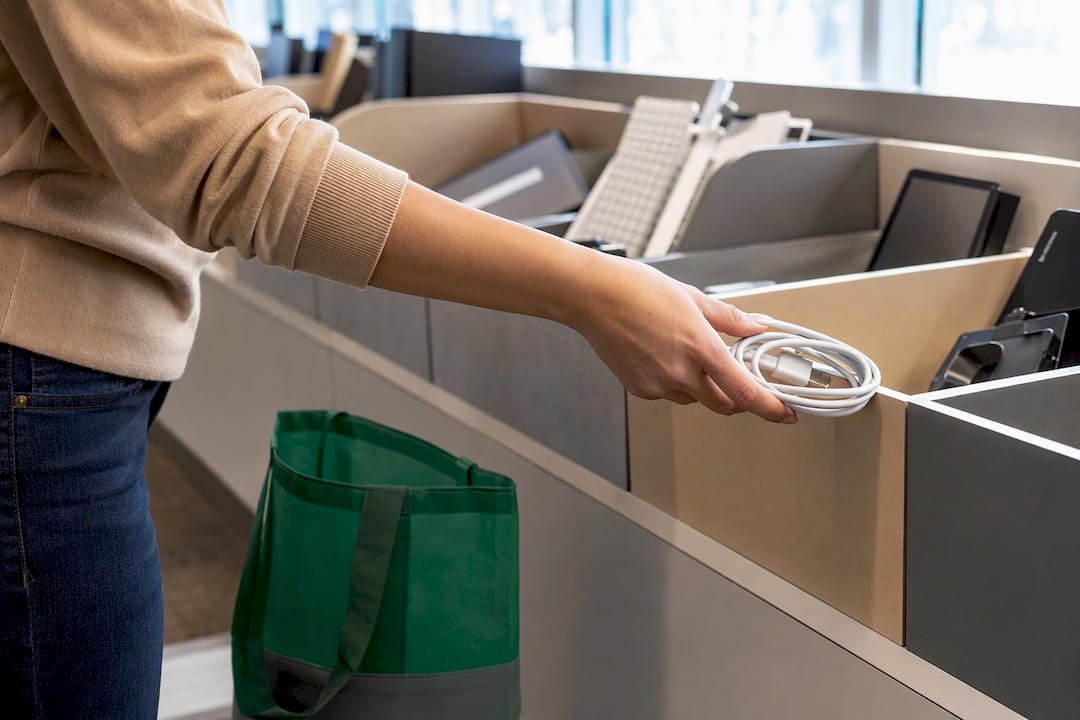
Retailer and manufacturer take-back programs exist at most big electronics chains, and they typically accept phones, tablets, and small devices regardless of brand, often for free. The catch is limits: many programs cap what they’ll take per visit, exclude certain categories like CRTs or large appliances, and offer little to no transparency about downstream handling once your device leaves the counter.
Mail-in recycling and buyback services solve the convenience problem for people without an easy local option, or for anyone disposing of several devices at once. You request a prepaid shipping label, send the device in, and the provider either recycles it or issues a payout after inspection. A reputable mail-in recycler will tell you upfront how it sanitizes data and what documentation it hands back.
To figure out what’s actually available near you:
- Check the EPA’s electronics donation and recycling page for state-specific programs and certified recycler lookups.
- Search your city or county’s solid waste department site for household hazardous waste event calendars.
- Call ahead before any drop-off event. Hours, accepted categories, and fees change without much notice.
- Ask retailers directly whether their take-back program includes wiped or destroyed data, since many outsource that step.
How Do You Prepare a Device Before Recycling It?
Deleting your photos and signing out of an app is not sanitization. It just hides files from casual view while leaving them fully recoverable with basic software, which is exactly the risk data recovery specialists warn about when they explain how easily “erased” drives get reconstructed. The federal standard for actually making data unrecoverable is NIST SP 800-88 Revision 2, and it defines three tiers of sanitization.
Clear uses standard read/write commands to overwrite data, suitable for lower-sensitivity devices staying within your control. Purge applies stronger techniques, like cryptographic erase, that make recovery infeasible even with advanced lab tools, and Revision 2 now favors Purge over Clear whenever the hardware supports it. Destroy physically disables the storage media through shredding or degaussing, reserved for drives holding highly sensitive data or hardware too old to sanitize any other way.
Here’s the sequence to follow before any device leaves your hands:
- Back up anything you want to keep to cloud storage or an external drive.
- Sign out of iCloud, Google, Microsoft, and any app tied to your identity.
- Remove the SIM card, memory card, or any removable storage.
- Run a factory reset, but understand it typically performs a Clear-level wipe, not a Purge, on many older devices.
- Where the device supports it, use built-in encryption plus a cryptographic erase for a true Purge-level result.
- If the device is broken beyond use or held sensitive business data, request physical destruction and documentation of the method used.
Pro Tip: A factory reset alone won’t satisfy Purge-level sanitization on many older Android phones and hard drives. If the device ever stored financial records, health data, or client information, ask your recycler specifically which method they used, not just whether they “wiped it.”
Once sanitization is done, the provider should hand you a Certificate of Data Destruction listing the method used, the date, and a device identifier, plus a chain-of-custody record if multiple parties handled the device. For businesses retiring drives with regulated data (health records, financial data, government contracts), skip the DIY route entirely and use a professional IT asset disposition vendor that can document NIST-compliant sanitization at scale.
What Certifications Should a Recycler Have?
Two accredited standards cover legitimate electronics recycling in the United States: R2 (Responsible Recycling) and e-Stewards. Both require environmental controls, worker health and safety protections, and data security practices, which is why the EPA specifically recommends using certified recyclers over uncertified ones. Verifying a recycler’s certification is arguably the single most effective thing you can do to avoid your device ending up improperly processed overseas or dismantled in unsafe conditions.
Verification takes a few minutes:
- Search the recycler’s name directly on the R2 or e-Stewards certification registries, not just their own website’s claims.
- Check the certificate’s audit date and expiration. Certifications lapse, and some companies keep displaying old logos.
- Ask for their downstream partner list, meaning who receives materials after initial processing.
- Ask about export policy. Certified programs restrict where hazardous e-waste can legally travel.
Red flags that should stop you immediately: a recycler that can’t produce a certificate number you can independently check, vague answers about “partners” with no names, reluctance to put data destruction methods in writing, or pricing that seems too good given the labor involved in responsible dismantling. A legitimate operation sorts materials by category, documents chain-of-custody for anything containing data, and can explain in plain language what happens to a device after it leaves the loading dock.
Should You Donate, Repair, or Resell Before Recycling?
Recycling is the last stop, not the first. The EPA’s management hierarchy puts waste prevention and reuse above recycling for a simple reason: a device that gets a second life offsets the mining, manufacturing, and shipping of a brand-new one, while recycling only recovers a fraction of the original materials.
Ask yourself three questions before anything goes in a recycling bin. Does it power on and hold a charge? Would a repair shop fix it for less than a replacement costs? Is there a market for it, even with a cracked screen? If any answer is yes, reuse beats recycling.
Before you donate or sell:
- Wipe the device using at least a Clear-level reset, ideally a Purge-level cryptographic erase for anything that held personal accounts.
- Remove any property tags, asset stickers, or engraved identifiers tied to a previous owner or employer.
- Pack it securely with the charger if you have one. Working accessories increase both resale value and the odds someone actually reuses it.
- Photograph the device’s condition and serial number before shipping, especially for higher-value resale or business transfers.
For working phones, tablets, and laptops with resale value, a paid buyback accomplishes both goals at once: someone gets a working device at a lower cost, and you get paid instead of donating for nothing.
How Do You Safely Recycle Batteries and Other Regulated Items?
Certain items can’t go in a standard recycling bin or curbside pickup, and treating them casually creates real fire and chemical hazards. Lithium batteries, CRT monitors and televisions, refrigerators, and anything containing mercury or Freon all fall under separate handling rules in most states.
- Lithium batteries (loose or inside devices) should never go in curbside trash or standard recycling. A punctured or crushed lithium cell can ignite, which is why waste haulers report battery fires as a growing cause of collection truck and facility fires.
- Swollen, damaged, or leaking batteries need to be bagged separately, kept away from heat, and taken directly to a battery-specific collection point, never shipped loose in a box.
- CRT monitors and TVs contain leaded glass and require specialized recycling streams, typically through household hazardous waste events rather than standard e-waste drop-off.
- Appliances with refrigerants (refrigerators, window AC units, dehumidifiers) require certified technicians to recover the refrigerant before recycling, which most curbside programs and retail take-back counters won’t do.
When in doubt, your local household hazardous waste program is the right call, and most publish specific instructions for battery and CRT drop-off separately from general electronics.
What Should You Ask Before Choosing a Recycler or Buyback Service?
A five-minute phone call or email exchange can save you from a bad outcome. Before you ship, hand over, or drop off anything with a storage chip inside, get answers to these:
- Are you R2 or e-Stewards certified, and can you provide a certificate number I can verify independently?
- What sanitization method do you use, Clear, Purge, or physical Destroy, and does it match NIST SP 800-88 Revision 2?
- Will you provide a signed Certificate of Data Destruction and a chain-of-custody document for my device?
- Who are your downstream partners, and what’s your policy on exporting materials internationally?
- What are your fees, size or quantity limits, and expected turnaround time from drop-off or shipment to completion?
On cost and timing: most consumer mail-in recycling is free, though some services charge nominal fees for large appliances or CRTs. Buyback and trade-in offers usually turn around in a day or two after inspection, while recycling-only processing (no payout) can take anywhere from a few days to a few weeks depending on volume.
Red flags that should end the conversation: no certification number, refusal to put sanitization methods in writing, unclear downstream partners, or pressure to skip documentation “to save time.” A provider confident in its process will hand over paperwork without hesitation.
Why I Think Documentation Is the Missing Piece Most Guides Skip
Most advice on this topic stops at “find a certified recycler,” as if certification alone settles the matter. It doesn’t. Certification tells you a company meets a baseline standard; it doesn’t prove what happened to your specific device on the day you handed it over. That’s why Buybackbear treats documentation as the deliverable, not an afterthought: every device we buy gets wiped to the NIST 800-88 standard, and you get a free Certificate of Data Erasure as proof, not just a promise.
The gap I keep seeing is between what recyclers advertise and what they can actually hand a customer in writing. If a provider hesitates to produce that paperwork, that hesitation is the answer.
, Andy
Get Paid for What Still Works, Recycle What Doesn’t
Some buyback services pay cash the same day your device is inspected, rather than bill credit stretched across a two or three year carrier contract. That’s the real difference for anyone weighing a trade-in against actually selling: no waiting, no strings, and no guessing whether the device that’s too old to sell gets recycled responsibly instead of dumped.

Devices accepted by reputable buyback services get wiped to the NIST 800-88 standard with a Certificate of Data Erasure included, providing proof that data is erased before the device leaves your hands. Devices with resale value may receive a cash offer through commonly used payment methods after inspection. Devices that do not have resale value are recycled responsibly to avoid ending up in a drawer or landfill. Shipping is often prepaid by the buyback or recycling service.
If you’ve got a laptop, phone, or tablet sitting unused, get an instant quote and see what it’s worth before you decide where it ends up. Businesses retiring multiple devices at once can start with a bulk device buyback instead of handling each one individually.
Where to Verify Recyclers and Learn More
A few official sources are worth bookmarking before you recycle anything with a screen or a battery in it:
- The EPA’s certified electronics recyclers page lets you search R2 and e-Stewards certified facilities directly.
- NIST SP 800-88 Revision 2 is the full technical guidance behind Clear, Purge, and Destroy sanitization methods.
- The EPA’s donation and recycling hub links to state-specific programs and drop-off locators.
- Institutions and government offices transferring equipment should review EPA guidance on preparing federal electronics for donation, which applies the same documentation principles to bulk transfers.
Sources
- Certified electronics recyclers | U.S. EPA
- SP 800-88 Rev. 2, Guidelines for Media Sanitization | NIST
- Electronics donation and recycling | U.S. EPA
- Preparing to transfer or donate used federal electronic equipment | EPA
FAQ
Where Can I Take Old Electronics to Recycle for Free?
Most major retailers with electronics departments offer free take-back for phones, tablets, and small devices, and many counties run free e-waste drop-off events or permanent collection centers. Check the EPA’s donation and recycling locator for options near you.
What Can I Do With Old Devices Instead of Throwing Them Away?
Donate or sell anything that still powers on, since reuse creates more environmental value than recycling alone. For devices with resale value, a buyback service pays cash instead of asking you to give the device away for free.
Does Best Buy Still Take Electronics for Recycling?
Major electronics retailers generally continue accepting a range of devices for recycling at store locations, though accepted categories and quantity limits vary by store and change periodically. Call your local store to confirm current rules before you make the trip.
Can I Just Throw an Old Computer in the Garbage?
No. Computers contain batteries, heavy metals, and circuit boards that most states restrict from regular trash, and doing so risks fines depending on local law. Use a certified recycler, a municipal e-waste drop-off, or a mail-in service that documents proper handling instead.
Recommended
Ready to sell?
Get an instant quote, free prepaid shipping, and fast cash that beats carrier trade-in credit.
Selling your device here, at a glance
Get my instant quote →- Instant quote in about 30 seconds, price locked while you decide
- Cash by PayPal, Zelle, Venmo or check after inspection, no fees
- Free prepaid label both ways, free return shipping if you decline
- We beat any competitor's written quote by $2
- Cracked screen, broken or won't power on? Still worth real money
- Certified NIST 800-88 data wipe with an emailed certificate
- Trade-in value paid in cash, not a 24-36 month carrier bill credit
- Every model priced: unlocked or carrier-locked, any storage size