Get Cash in 1–2 Days: U.S. Tablet Recycling Options with NIST Wipes
September 10, 2026
Sell for cash if the tablet powers on and you want money in hand. Trade it in at a retailer if you’re buying a replacement there anyway. Donate it if it still works but isn’t worth much. Use a certified recycler if it’s broken or holds sensitive data you need destroyed with proof. Whichever path you pick, confirm the handler follows the NIST 800-88 standard for wiping data and, for recyclers, holds R2 or e-Stewards certification.
TL;DR:
- Selling for cash offers the fastest payment, especially for devices that turn on and hold a charge, with quotes updating frequently based on demand.
- Retailer trade-in programs generally provide store credit and are most beneficial when purchasing a replacement at the same location, not for cash.
- Donation suits functional tablets with low resale value, but activation locks and outdated software can prevent reuse by new owners.
- Certified recyclers with R2 or e-Stewards certification are essential for handling broken devices or those containing sensitive data, ensuring responsible disposal.
- Proper preparation before sale or donation includes backing up data, signing out accounts, performing a factory reset, and documenting the device’s serial and IMEI numbers.
Table of Contents
- Which Route Fits Your Tablet Best?
- Selling a Tablet for Cash: What to Expect
- Retailer and Manufacturer Trade-In Programs
- Should You Donate Your Old Tablet Instead?
- What Do R2 and e-Stewards Certification Actually Mean?
- Where to Find Local Recycling Programs and Events
- How to Prepare Your Tablet Before You Sell, Donate, or Recycle It
- What to Do With a Broken or Nonworking Tablet
- How to Choose the Right Path in Four Steps
- Why a Cash Buyback Can Beat the Alternatives
- Turn Your Old Tablet Into Cash Today
- Sources
- FAQ
Which Route Fits Your Tablet Best?
Your decision comes down to three things: does it work, do you need cash now, and how sensitive the data on it is. A cracked screen doesn’t rule out a cash sale. A dead battery usually does.
Here’s how the main paths stack up against each other:
- Sell for cash: Fastest payout for working tablets, typically within a day or two of inspection. Best when you want money and the device still turns on.
- Retailer trade-in: Convenient if you’re already buying a new device, but payment often comes as store credit rather than cash.
- Manufacturer take-back: Handles data and recycling responsibly, but rarely pays you anything.
- Donation: Good for older but functional tablets; no payout, but real social value if a school or nonprofit can reuse it.
- Certified recycler: The right call for broken devices or anything with regulated or sensitive data, since these facilities document destruction.
- Municipal drop-off: Free or low-cost, but hours are limited and some sites cap how many devices you can bring per visit.
If data security is your top concern, a certified data destruction process with a written certificate beats a plain factory reset every time.
Selling a Tablet for Cash: What to Expect
A buyback service like Buybackbear runs on a simple loop: you get an instant online quote, ship the tablet free with a prepaid label, the company inspects it, and you get paid once the offer is confirmed. No haggling with a stranger, no waiting for a buyer to show up.
Price comes down to a handful of factors:
- Model and storage: A recent iPad Pro with 256GB will fetch far more than a base-model tablet from several generations back.
- Physical condition: Cracked glass, a bent frame, or a dead port all knock down the offer.
- Battery health: A tablet that won’t hold a charge past a few hours sells for less, even if everything else works.
Expect payment promptly after inspection through popular payment methods, generally faster than waiting on a private buyer to send funds or complete a swap in person.
Selling directly to another person can sometimes net a slightly higher price, but you trade away speed and safety. There’s no inspection step protecting you from a bounced payment or a buyer who ghosts after you’ve shipped the device. A reputable buyback service also wipes the tablet to the NIST 800-88 standard and provides a certificate of erasure, something a random online buyer will never offer.
Pro Tip: Get quotes from two or three buyback services before you ship anything. Prices shift often based on current resale demand, so a quote you got last month may already be out of date.
Retailer and Manufacturer Trade-In Programs
Retailer and manufacturer programs solve different problems, and mixing them up costs people money or time.
Retailers like Best Buy run in-store recycling and trade-in programs, but acceptance rules, item limits, and fees vary by location and by device. You’ll usually get store credit rather than cash, which works fine if you’re already replacing the tablet there. It’s a poor fit if you just want money.
Manufacturer take-back programs, the kind Apple and similar brands run, focus on responsible handling rather than resale value to you. Send in an old iPad through Apple’s trade-in system and you might get a small credit, but the company’s priority is proper data destruction and recycling, not maximizing your payout.
A few things to check before you commit to either path:
- Payment type: Confirm whether you’re getting cash, gift card credit, or nothing at all.
- Data handling: Ask whether the program wipes data on-site or ships devices to a third party first.
- State restrictions: Some states restrict how certain electronics can be shipped or handled, which occasionally limits what a mail-back program will accept.
If your main goal is a fast cash number instead of store credit, compare trade-in versus a direct sale before choosing.
Should You Donate Your Old Tablet Instead?
Donation makes sense when your tablet still works but isn’t worth much on the resale market. Schools, libraries, and nonprofits regularly accept working tablets, especially anything from the last four or five years with a functioning battery and screen.
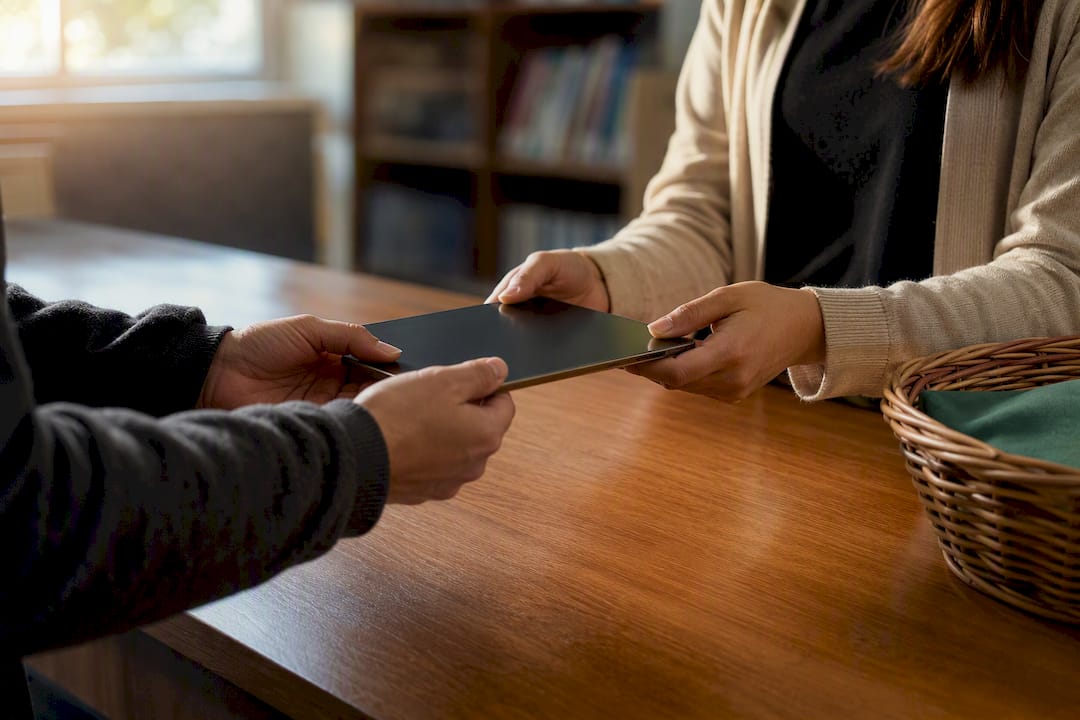
The EPA’s donation and recycling guidance points to reuse as the more environmentally efficient outcome when a device still has useful life left. Extending a tablet’s working life through a new owner avoids the energy and materials cost of manufacturing a replacement, something recycling alone can’t match.
A few limits to keep in mind:
- Working condition required: Most donation programs won’t take anything with a cracked screen, dead battery, or missing charger.
- Activation locks block reuse: A tablet still tied to your Apple ID or Google account is useless to the next owner until you remove it.
- Age matters: Tablets running outdated operating systems that no longer receive security updates are often turned away.
If your tablet fails any of those checks, recycling is the better call.
What Do R2 and e-Stewards Certification Actually Mean?
Certification tells you a recycler has passed an independent audit, not just made a promise. The EPA specifically points to R2 and e-Stewards as the two accredited standards that govern responsible electronics recycling in the United States, and both require third-party auditors to verify practices on the ground.
That matters because uncertified recyclers sometimes export broken electronics to countries with lax environmental enforcement, where components get stripped in ways that harm workers and pollute soil and water. Certified facilities are bound by rules that restrict or track that kind of downstream handling.
Finding a legitimate recycler and vetting it takes three steps:
- Search the official directories. Use the EPA’s certified recycler listings or the R2 and e-Stewards public databases rather than trusting a company’s own claims.
- Confirm the specific facility, not just the brand name. Large recycling companies sometimes operate a mix of certified and non-certified locations, so verify the exact site handling your device.
- Ask direct questions before shipping anything. Request their export policy, a list of downstream vendors, and whether they issue a certificate of recycling or destruction.
Modern R2-certified facilities recover 85 to 95 percent of input weight as usable secondary raw materials, a strong argument for choosing certification over a cheaper, unverified drop-off option. When in doubt, treat a missing certificate the same way you’d treat a missing receipt: a reason to ask more questions, not proceed.
Where to Find Local Recycling Programs and Events
Municipal and state programs are often the cheapest option, and sometimes the only free one, but availability swings widely depending on where you live.
Start with your city or county’s public works website, most list permanent electronics drop-off sites or seasonal collection events. Many communities also run one or two large e-waste collection days per year at a community center or fairground.
A few practical notes before you show up:
- Bring only what’s allowed. Many events cap household drop-offs at a set number of items, and some charge a small per-item fee for anything beyond that.
- Check accepted categories. Some municipal programs accept tablets but reject damaged batteries outright, routing them to a separate hazardous-waste stream.
- Confirm hours and dates in advance. Permanent sites often have limited weekly hours, and seasonal events don’t repeat until the following year.
State law shapes all of this behind the scenes. Roughly 25 states plus Washington, D.C. have electronics recycling laws on the books, and those laws determine which manufacturers must fund take-back programs and how municipalities structure collection.
How to Prepare Your Tablet Before You Sell, Donate, or Recycle It
Skipping prep work is the single most common reason a trade-in or sale falls through. Follow these steps in order:
- Back up anything you want to keep. Photos, documents, and app data disappear the moment you reset the device.
- Sign out of your Apple ID or Google account. This step also disables activation lock, without it, a buyer or recycler may reject the tablet outright.
- Run a full factory reset. This clears personal data from normal view, though it isn’t guaranteed to eliminate every trace on every device.
- Remove SIM cards, SD cards, and cases. Check every port and slot before you box it up.
- Write down the serial number and IMEI (if applicable). Keep this for your own records in case of a dispute later.
For sensitive data, a standard reset isn’t always enough. CISA’s guidance on device disposal notes that physical destruction remains the most certain method for highly sensitive information, and that a basic factory reset varies in effectiveness by device model.
Pro Tip: If your tablet ever stored financial, medical, or business data, ask for a written certificate of data erasure or destruction rather than accepting someone’s word that it’s “been wiped.” A verbal assurance isn’t proof of anything.
What to Do With a Broken or Nonworking Tablet
A cracked screen rarely disqualifies a tablet from resale, but a swollen or leaking battery is a different story. Damaged lithium batteries pose fire and chemical risks, and many handlers are required to route them through separate hazardous-waste channels with special packaging and transport rules.
Because of that, some certified recyclers and buyback services will decline a device with a visibly swollen battery outright.
- Try a certified recycler first. Many accept damaged tablets even when a buyback service won’t, since they’re equipped for safe battery handling.
- Check for a hazardous-waste collection event. Local governments often run these separately from general e-waste drop-offs.
- Ask your retailer about a specialized take-back option. Some retail chains have separate protocols for damaged batteries outside their normal trade-in counter.
Never toss a damaged tablet in household trash. A punctured lithium battery can spark a fire in a garbage truck or landfill.
How to Choose the Right Path in Four Steps
Cut through the options with this order of operations:
- Check if it powers on and holds a charge. Working devices open up cash sale, trade-in, and donation. Nonworking ones point straight to certified recycling.
- Rate how sensitive your data is. Financial records or business files call for a documented wipe or physical destruction, not a quick reset.
- Decide if you want money, credit, or just responsible disposal. That answer narrows your choice to a buyback service, a retailer trade-in, or a donation.
- Verify the receiving party before you ship anything. Look for a certificate of recycling or destruction, and treat vague answers about export or downstream handling as a red flag.
| Your Situation | Best Route |
|---|---|
| Works fine, want cash fast | Cash buyback service |
| Buying a replacement at the same store | Retailer trade-in |
| Still works, low resale value | Donate to a school or nonprofit |
| Broken screen, dead battery, or swollen battery | Certified recycler (R2/e-Stewards) |
| Holds sensitive business or financial data | Certified destruction with a written certificate |
Keep every receipt, quote confirmation, and certificate you receive. If a dispute ever comes up about where your data or device ended up, that paperwork is the only proof you have.
Why a Cash Buyback Can Beat the Alternatives
Most people default to whatever’s most familiar, a retailer trade-in counter or a drawer where the tablet just sits. Neither serves you well if the device still has real value.
A reliable buyback process typically includes four steps: get an instant quote, ship free with a prepaid label, get inspected, and receive prompt payment. Devices are wiped to recognized data erasure standards with a certificate provided, and anything not fit for resale is recycled responsibly rather than landfilled.
That combination, real cash instead of store credit, and provable data destruction instead of a vague promise, is why a buyback often beats a retailer trade-in or a donation when the tablet still has resale value. Donation still wins when the device is barely worth anything but could genuinely help someone else use it.
, Andy
Turn Your Old Tablet Into Cash Today
If your tablet still works, even with a cracked screen or a tired battery, a cash buyback usually beats store credit or a donation bin. Cash buyback services pay real money through methods like PayPal, Venmo, debit card, or bank transfer, rather than credit spread across years on a phone bill.

The typical process includes these four steps: get an instant online quote, ship free with a prepaid label, get inspected, and get paid promptly. Devices are wiped to recognized data erasure standards with a certificate provided, and anything beyond resale gets recycled responsibly. Some services may offer to beat competitor written quotes. This isn’t your only option, retailer trade-ins and donation both have their place, but if speed and cash are what you want, sell your tablet and see your offer in minutes.
Sources
FAQ
How Do I Dispose of an Old Tablet Responsibly?
Sell it for cash if it still works, donate it if the resale value is low but it’s functional, or send it to an EPA-recognized R2 or e-Stewards recycler if it’s broken or holds sensitive data.
Does Best Buy Take Old Tablets for Recycling?
Best Buy runs an in-store electronics recycling and trade-in program, though acceptance rules, item limits, and fees vary by location and device condition.
What Should I Do With a Tablet That Doesn’t Work Anymore?
A nonworking tablet with an intact battery usually still qualifies for certified recycling or a buyback service’s recycling stream, while a swollen or damaged battery may need a hazardous-waste event or a retailer’s specialized take-back program.
What Can I Do With Old iPads or Tablets I No Longer Use?
If the device still powers on, sell it through a cash buyback service like Buybackbear or donate it to a school or nonprofit; if it’s broken or outdated beyond use, take it to a certified R2 or e-Stewards recycler instead of leaving it in a drawer.
Recommended
Ready to sell?
Get an instant quote, free prepaid shipping, and fast cash that beats carrier trade-in credit.
Selling your device here, at a glance
Get my instant quote →- Instant quote in about 30 seconds, price locked while you decide
- Cash by PayPal, Zelle, Venmo or check after inspection, no fees
- Free prepaid label both ways, free return shipping if you decline
- We beat any competitor's written quote by $2
- Cracked screen, broken or won't power on? Still worth real money
- Certified NIST 800-88 data wipe with an emailed certificate
- Trade-in value paid in cash, not a 24-36 month carrier bill credit
- Every model priced: unlocked or carrier-locked, any storage size