Sell AirPods Same Day: Unlink Find My and Factory Reset in Two Steps
September 19, 2026
Before you sell your AirPods, you need to do two things in order: remove them from your Apple Account through Find My, then factory-reset them. Skip the first step and the buyer inherits a locked, useless earbud even after a full reset. If you already shipped the AirPods and just realized this, don’t panic. You can still remove them remotely through Find My or iCloud.com as long as you still control the original Apple Account. Apple Support has the official steps for both parts.
TL;DR:
- Removing AirPods from your Apple Account through Find My is essential, as failing to do so leaves the device locked and unusable for the buyer.
- Factory resetting involves specific steps that vary slightly by model, with a different process for AirPods Max, to clear local Bluetooth pairings without affecting Apple ID status.
- Confirm the AirPods are fully unlinked by checking Find My; if they still appear associated with your account, remote removal via iCloud.com is possible.
- Cleaning the AirPods and including all original accessories alongside the serial number helps optimize resale value and build buyer trust.
- AppleCare coverage is usually non-transferable, so disclose its status to avoid disputes, and ensure all pre-sale tasks like removal from Find My and resetting are completed.
Table of Contents
- How to Remove AirPods From Your Apple Account (Find My)
- Factory Reset AirPods: Model-by-Model Steps and Light Signals
- Verify the AirPods Are Actually Unlinked
- Clean and Pack the AirPods for Sale
- What to Do About AppleCare Coverage
- Your Pre-Sale Checklist and When to Skip the Hassle Entirely
- Sell Your Reset AirPods With Buybackbear for Same-Day Cash
- Sources
- FAQ
How to Remove AirPods From Your Apple Account (Find My)
This is the step people skip, and it’s the one that actually matters for the buyer. AirPods can only be paired to one Apple Account at a time, so until you remove them from yours, a new owner can’t fully claim them, even if the physical reset went perfectly. Apple calls this protection Pairing Lock, and it exists for the same reason Activation Lock exists on iPhones: to stop stolen devices from being resold.
Here’s how to remove them, depending on what device you have handy:
- On iPhone or iPad: Open the Find My app, tap “Devices,” select your AirPods, tap “Remove This Device,” then confirm.
- On a Mac: Open Find My, click “Devices,” select your AirPods, click “More Info,” then “Remove This Device.”
- On iCloud.com: Sign in with your Apple ID, open Find My, click “All Devices,” select your AirPods, and choose “Remove From Account.”
Apple’s own guidance on preparing AirPods for resale walks through these exact menu paths, and they’re worth following precisely since Apple occasionally shuffles menu labels between iOS versions.
Pro Tip: Already handed over the AirPods before removing them from Find My? You don’t need the physical devices in front of you. Log into iCloud.com from any browser and remove them remotely. The Apple Account owner is the only person who can do this, so hold onto your login until the sale is fully closed.
Factory Reset AirPods: Model-by-Model Steps and Light Signals
Once the AirPods are off your Apple Account, reset them to wipe local Bluetooth pairings and restore factory settings. The process is nearly identical across the AirPods lineup, with one notable exception.
For standard AirPods, AirPods Pro, and most current models:
- Place both AirPods in the charging case and close the lid.
- Wait about 30 seconds.
- Open the lid.
- Press and hold the setup button on the back of the case for roughly 15 seconds.
- Watch the status light: it flashes amber, then switches to white, confirming the reset completed.
AirPods Max works differently. There’s no case with a setup button involved. Instead, hold down the Noise Control button and the Digital Crown at the same time until the LED flashes amber, then white. Miss this distinction and you’ll spend ten frustrating minutes pressing a button that doesn’t exist on your case.
Newer AirPods 4 and AirPods Pro models sometimes ship with slightly revised case designs, so if the setup button isn’t where you expect it, check Apple’s current AirPods reset guide for your exact model before assuming something’s broken.
A few things worth knowing before you start:
- A factory reset clears Bluetooth pairing history stored on the AirPods themselves. It does not touch Apple ID or Find My linkage, that has to be removed separately, as covered above.
- If the case won’t respond to the setup button, charge it for at least 15 minutes first. A dead case often looks like a broken reset.
- On your own iPhone, go to Bluetooth settings and tap “Forget This Device” before resetting. It’s not strictly required, but it clears up ghost connections that sometimes cause pairing confusion afterward.
Verify the AirPods Are Actually Unlinked
Don’t just trust that the removal worked. Open Find My again and confirm the AirPods no longer appear in your device list. If they’re gone, you’re clear.
If a buyer messages you saying the AirPods still show as “connected to an Apple ID” or won’t finish pairing, here’s what that means and what to do:
- The buyer sees a linked account screen: This usually means the removal step got skipped or didn’t save. Log into Find My or iCloud.com and remove the device remotely, it works even after the sale.
- You no longer control the original Apple ID (changed accounts, lost the password): This is the one scenario with no clean fix. Apple explicitly will not remove a device from a third-party account, even with proof of purchase. The buyer may need to return the item.
- Quick checklist before shipping: charge the case fully, reset again, confirm you used “Forget This Device” in Bluetooth settings, and double-check Find My shows zero linked AirPods under your name.
Clean and Pack the AirPods for Sale
A few minutes of cleanup changes how a buyer perceives the whole listing. Wipe the earbuds and case with a soft, dry cloth, and use isopropyl alcohol wipes sparingly on the exterior, never inside the charging port or speaker mesh, where liquid can cause real damage.
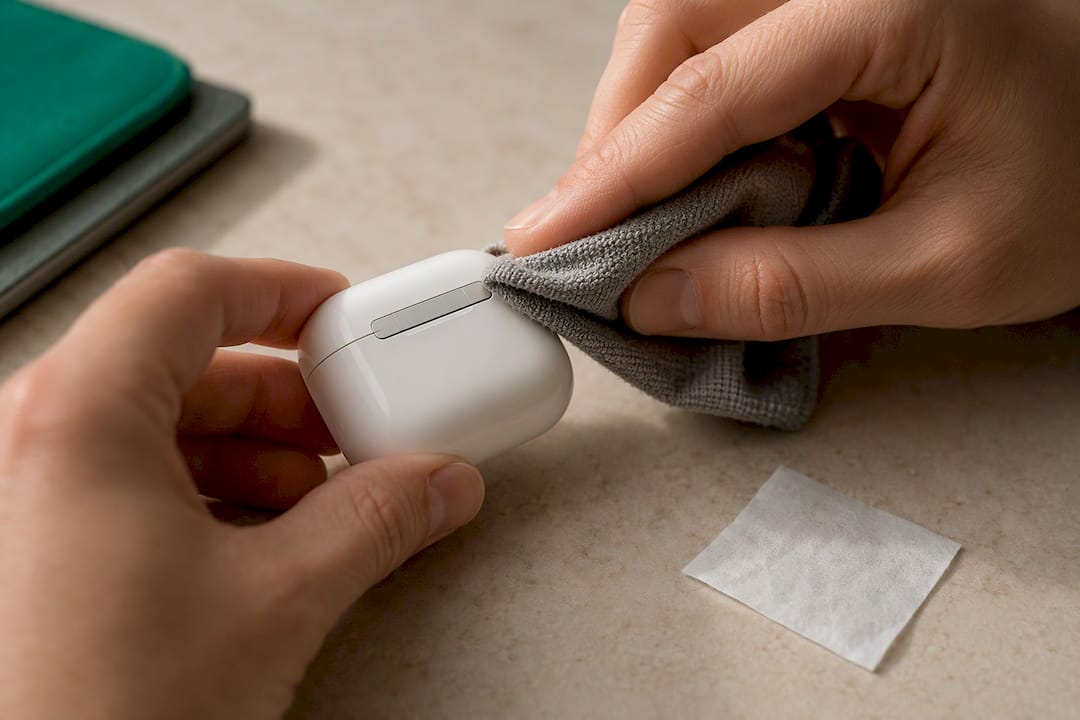
Include everything that came with the AirPods: the case, the charging cable, spare ear tips if you have them, and the original box if it survived. The serial number is printed inside the case lid or accessible through Settings, and sharing it upfront builds trust since buyers often check it against stolen-device databases before paying.
What to Do About AppleCare Coverage
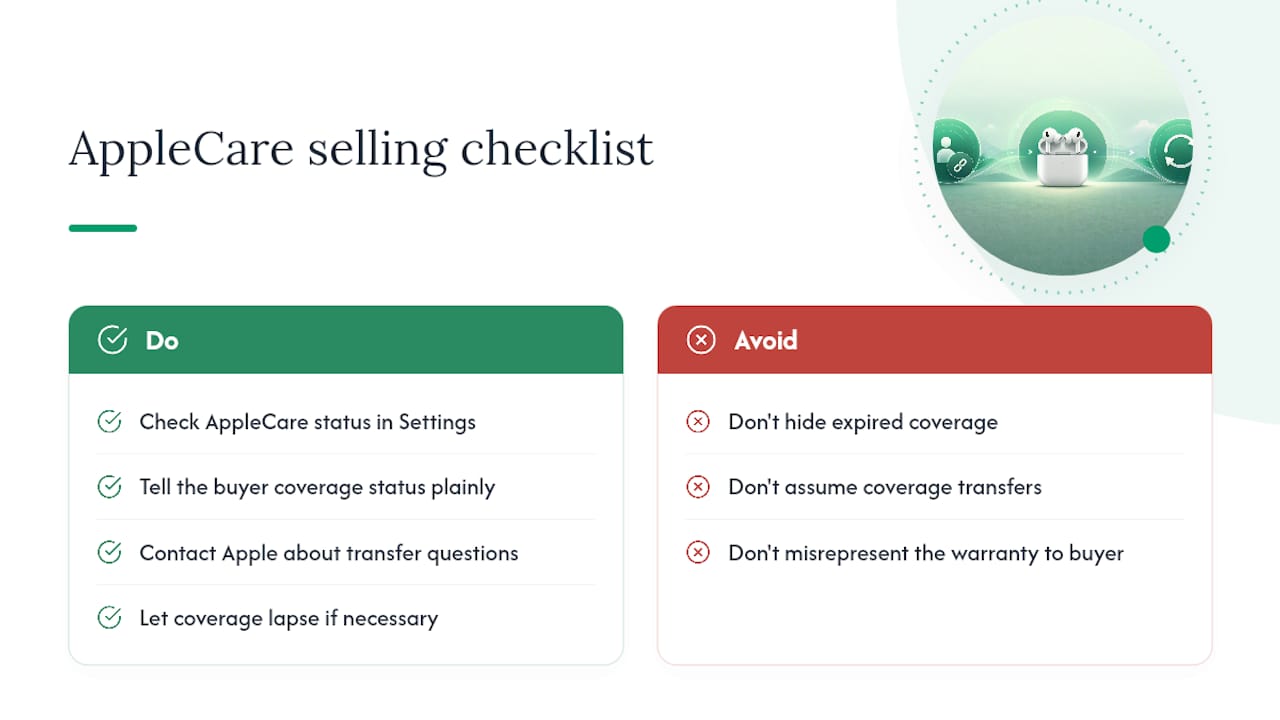
Check your AppleCare status under Settings, then your name, then look at your registered devices, or check the device list tied to your Apple ID. AppleCare for AirPods generally isn’t transferable to a new owner the way some warranties are, so your realistic options are letting it lapse or contacting Apple directly about your specific case.
Either way, tell the buyer the coverage status plainly. A pair with active AppleCare is worth more, and hiding an expired plan only creates a dispute later.
Your Pre-Sale Checklist and When to Skip the Hassle Entirely
Before shipping: remove from Find My, factory-reset, verify removal, clean everything, pack the extras. That’s the whole job in one sentence.
Some sellers still prefer a buyback service over listing privately, mainly for speed and certainty. A private sale means answering messages, negotiating, and hoping the buyer doesn’t come back with a linkage complaint three days later. A buyback service with prepaid shipping and certified data handling removes most of that back-and-forth.
, Andy
Sell Your Reset AirPods With Buybackbear for Same-Day Cash
Once your AirPods are unlinked from Find My and reset, you’re not stuck listing them yourself and fielding messages from strangers for weeks. Buybackbear pays cash promptly after your device is inspected, sent directly by common payment methods, with no bill credit spread over years like a carrier trade-in.

The process is four steps: get an instant online quote, ship free with a prepaid label, Buybackbear inspects and confirms the offer, then you get paid. Even though AirPods themselves don’t hold personal data the way a phone does, Buybackbear applies the same NIST 800-88 certified erasure standard across every device category it buys, with a free Certificate of Data Erasure for your records. Just make sure you’ve already removed the AirPods from Find My and completed the factory reset before you box them up and ship. Ready to see what your AirPods are worth? Check your quote before you package anything.
Sources
For the exact removal and reset steps straight from Apple, see Before You Sell, Give Away, Return, or Recycle Your AirPods and Restart, Unpair, or Reset Your AirPods.
- If an item or device is connected to another Apple Account - Apple Support
- How to Reset AirPods (All Models): Complete Step-by-Step Guide for 2026 - MacObserver
FAQ
Can I Reset AirPods From a Previous Owner?
Yes, but only after the previous owner removes them from their Apple Account. If the AirPods still show as linked to someone else’s account after a reset, Apple’s own guidance confirms only the original account owner can remove the Pairing Lock, so contact the seller and ask them to remove the device remotely.
How Do I Remove Ownership of My AirPods?
Open Find My on an iPhone, iPad, or Mac, select the AirPods under Devices, then choose “Remove This Device.” You can also do this through iCloud.com under “All Devices” if you don’t have an Apple device nearby.
How Do You Reset AirPods So They Can’t Be Tracked?
Removing AirPods from Find My before you reset them is what actually stops tracking, since the physical reset alone doesn’t break the Apple ID connection. Complete both steps in that order: unlink from Find My first, then factory-reset the case using the setup button method for your model.
How Do I Fully Factory Reset My AirPods?
Put both AirPods in the case, wait 30 seconds, open the lid, then hold the setup button for about 15 seconds until the light flashes amber and then white. AirPods Max uses a different method, holding the Noise Control button and Digital Crown together until you see the same amber-then-white signal.
Recommended
Ready to sell?
Get an instant quote, free prepaid shipping, and fast cash that beats carrier trade-in credit.
Selling your device here, at a glance
Get my instant quote →- Instant quote in about 30 seconds, price locked while you decide
- Cash by PayPal, Zelle, Venmo or check after inspection, no fees
- Free prepaid label both ways, free return shipping if you decline
- We beat any competitor's written quote by $2
- Cracked screen, broken or won't power on? Still worth real money
- Certified NIST 800-88 data wipe with an emailed certificate
- Trade-in value paid in cash, not a 24-36 month carrier bill credit
- Every model priced: unlocked or carrier-locked, any storage size